Free
Shipping · Digital
Multiple Shipping Addresses
Let customers save up to 3 shipping addresses and pick one at checkout.
View product→Shipping · Free & Pro editions
Simple flat rate shipping that just works.

Why Smart Flat Rate Shipping
Simple flat rate shipping that just works.
Charge one clear rate for shipping. The free edition works inside your WooCommerce shipping zones and gives you flat rates with conditions on subtotal, quantity, products, categories and location; Pro adds weight, shipping class, coupon, role and schedule conditions, per-weight and percentage fees, tiered rates, minimum and maximum cost, and import / export of methods.
Choose your edition
Feature tour
Shipping Methods & Pricing
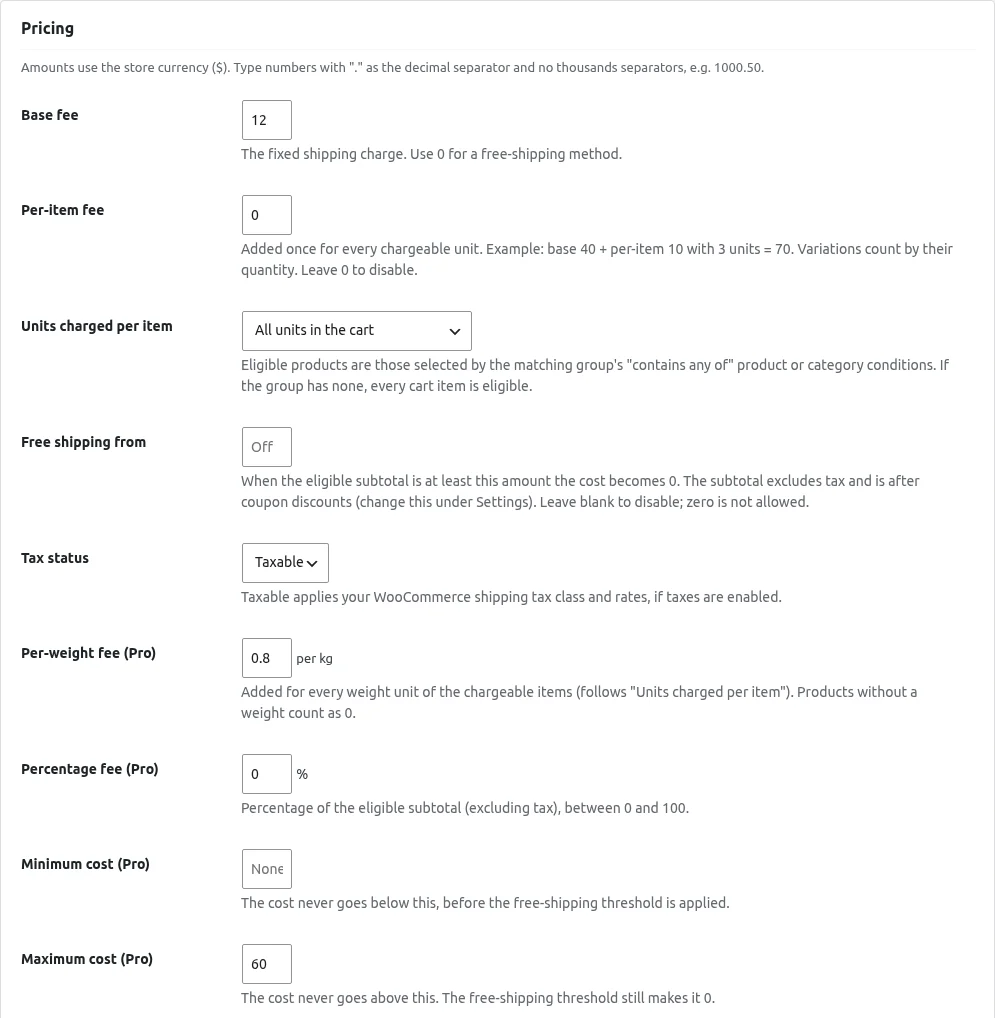
One Smart Flat Rate method in a zone can offer as many flat-rate options as you create. Each option (called a method here) has a fee, optional conditions and a priority.
Shipping Methods & Pricing
If something is wrong, the page says "The method was not saved. Please fix the following:" and lists the problems.
Shipping Methods & Pricing
Amounts use your store currency. Type numbers with . as the decimal separator and no thousands separators, for example 1000.50 .
Shipping Methods & Pricing
The Shipping methods tab lists your methods with these columns: Method , Customer label , Amount , Status , Priority and Conditions (a readable summary).
Shipping Methods & Pricing
Open the Settings tab and click Save settings after changes.
Conditions
A method can have at most 10 condition groups, and a group at most 10 conditions. The method list shows a readable summary of the conditions.
Testing & Diagnostics
The Test shipping (simulator) tab runs your methods on a sample cart and address. It uses the same rule engine as checkout, but nothing is added to a cart, no order is created, no stock changes and nothing is charged.
Testing & Diagnostics
The Diagnostics & help tab has three parts.
Pro FeaturesPro
Pro feature. With Pro active, a Pro overview tab appears in WooCommerce > Smart Flat Rate . A Pro overview link also appears on the Plugins screen.
Pro FeaturesPro
Pro feature. Charge by ranges of quantity, weight or subtotal using Tiered rate (Pro) .
Pro FeaturesPro
Pro feature. Open the Import / export tab.
Get started in just 3 simple steps.
Install the free plugin from WordPress.org, or upload the ZIP you receive after buying Pro.
Open the plugin settings and choose the options that fit your store.
Simple flat rate shipping that just works.
It adds a smarter flat rate method alongside the built-in shipping methods. You can use either.
Free editions install from WordPress.org. Pro editions are bought on Freemius, and you receive the ZIP and licence key right after checkout.
Simple flat rate shipping that just works.